

Carsxe feature artwork
Generate consistent Carsxe technical vehicle-feature artwork for auth side panels, feature carousels, and marketing layouts — light navy-and-cyan workflow style, 1536x1024, #F9F9F9 background.Save as
.cursor/skills/carsxe-feature-artwork/SKILL.md. Copy other files in this skill into the same folder.Examples
Artwork this skill produced. Match this style, not these exact diagrams.
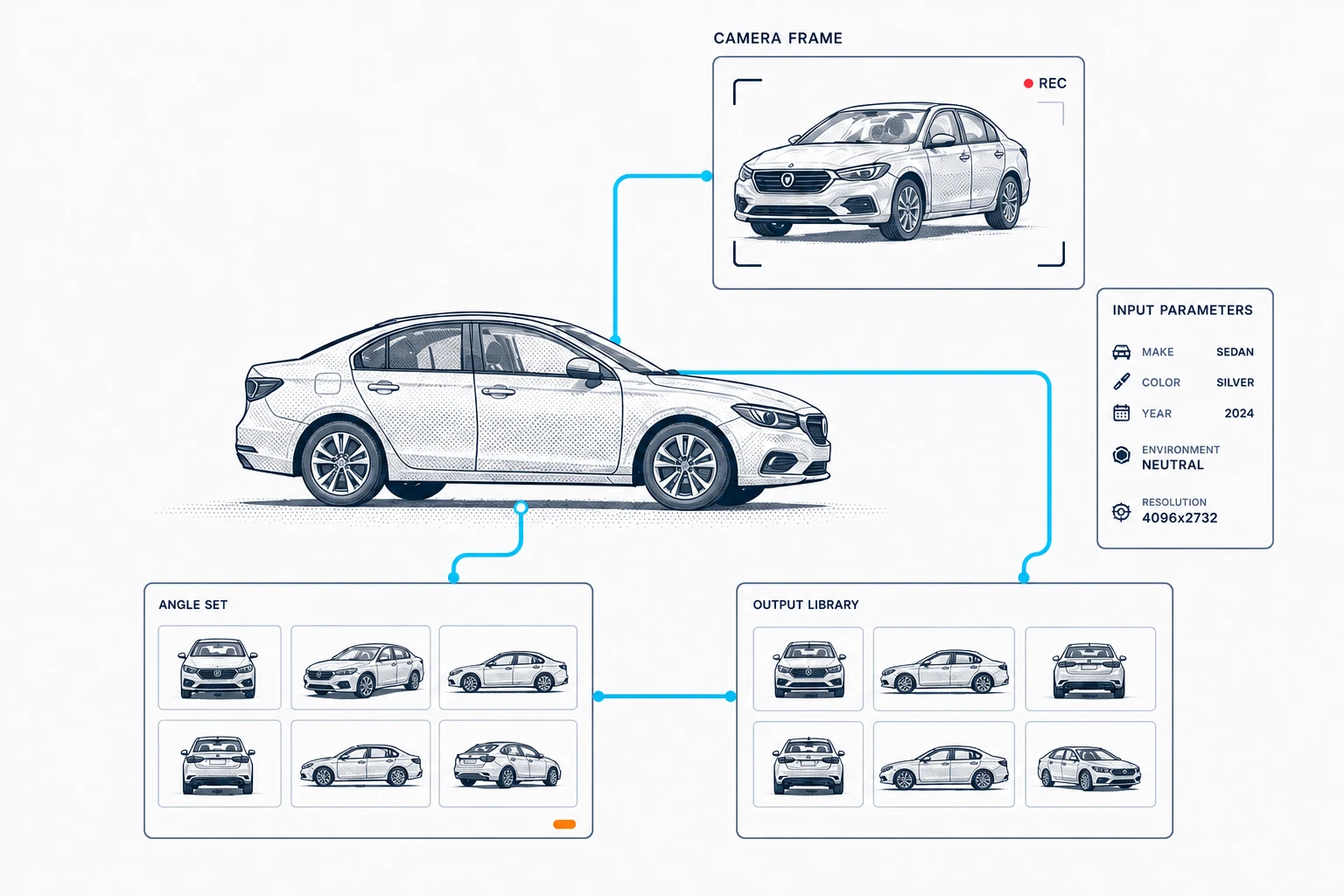
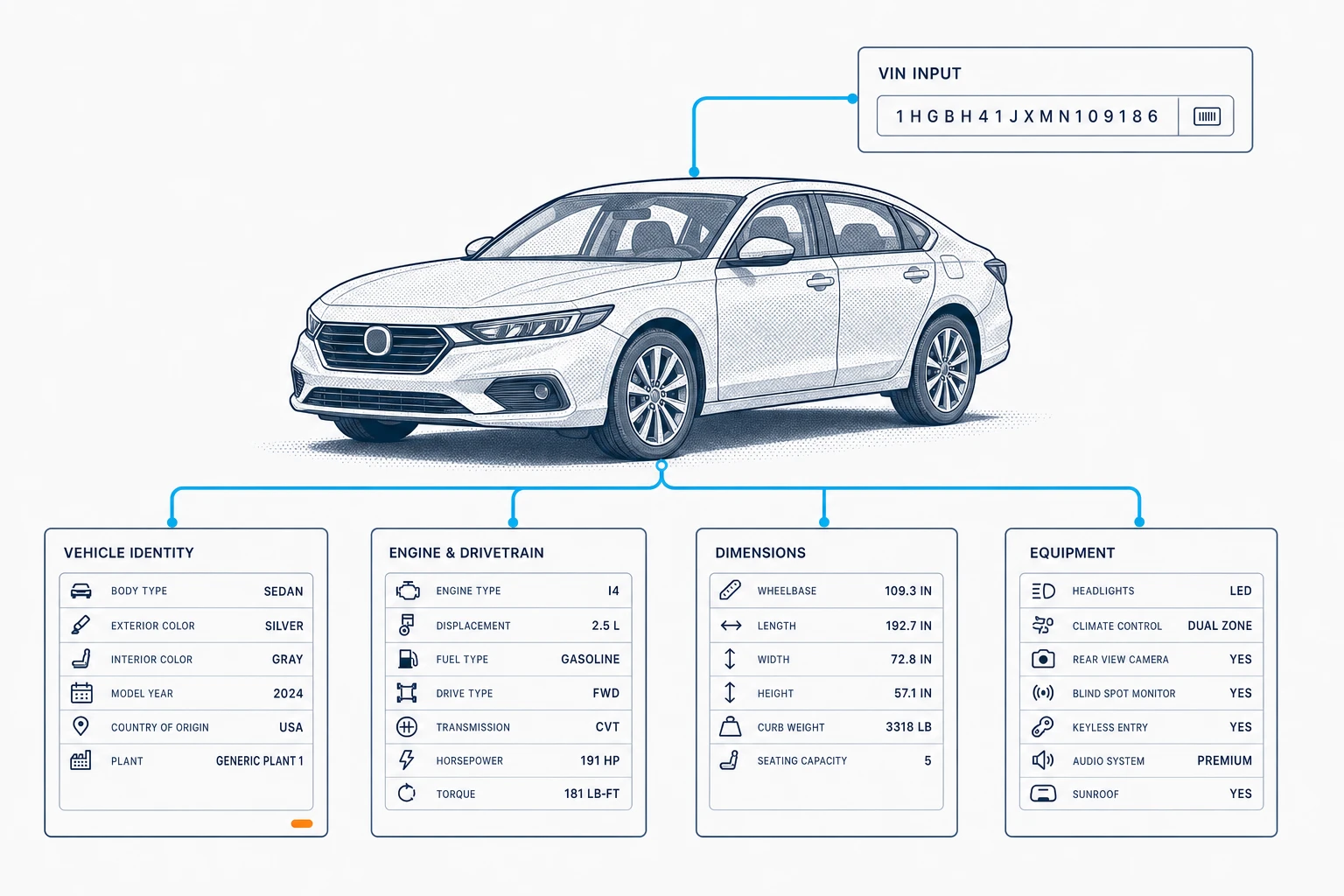
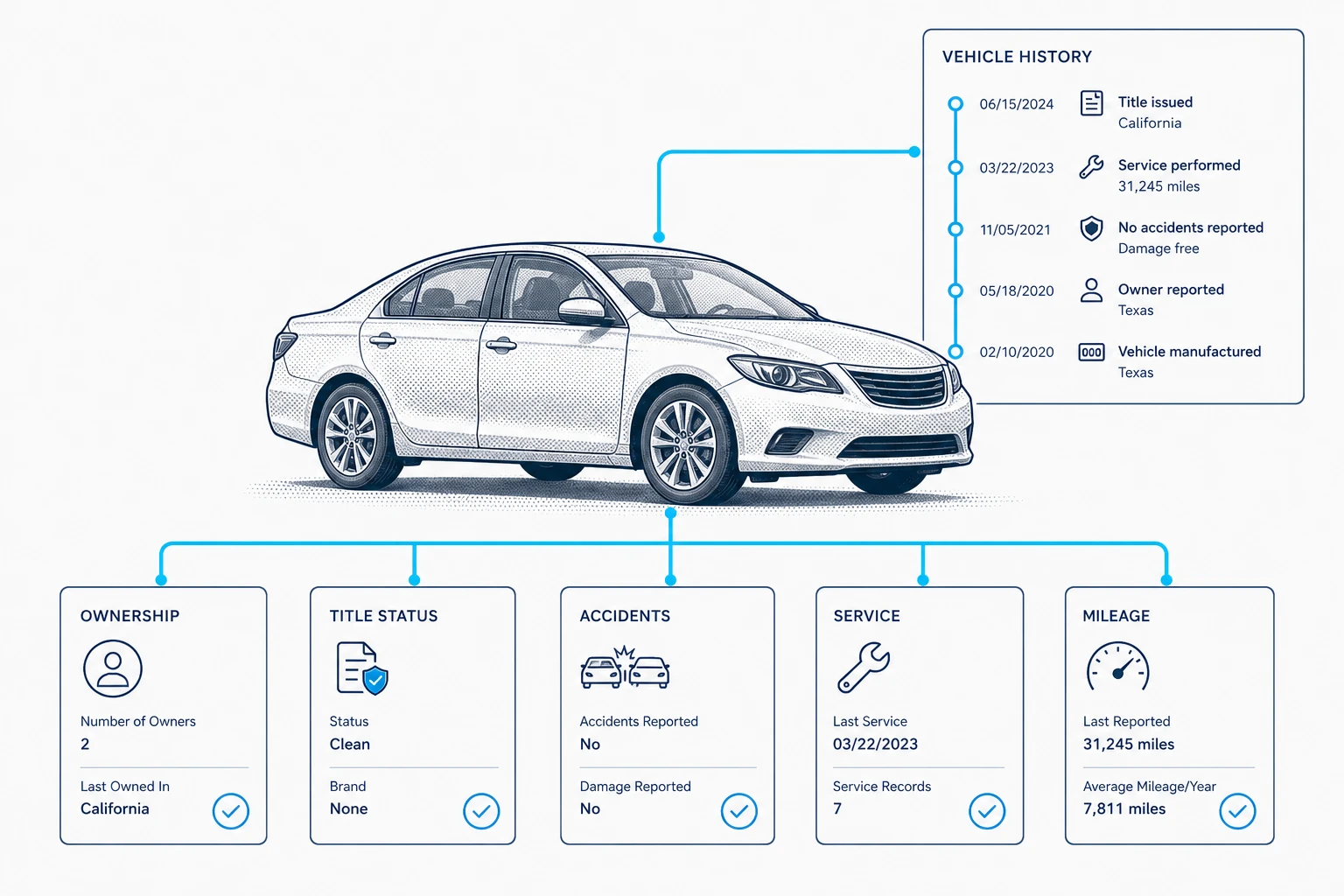
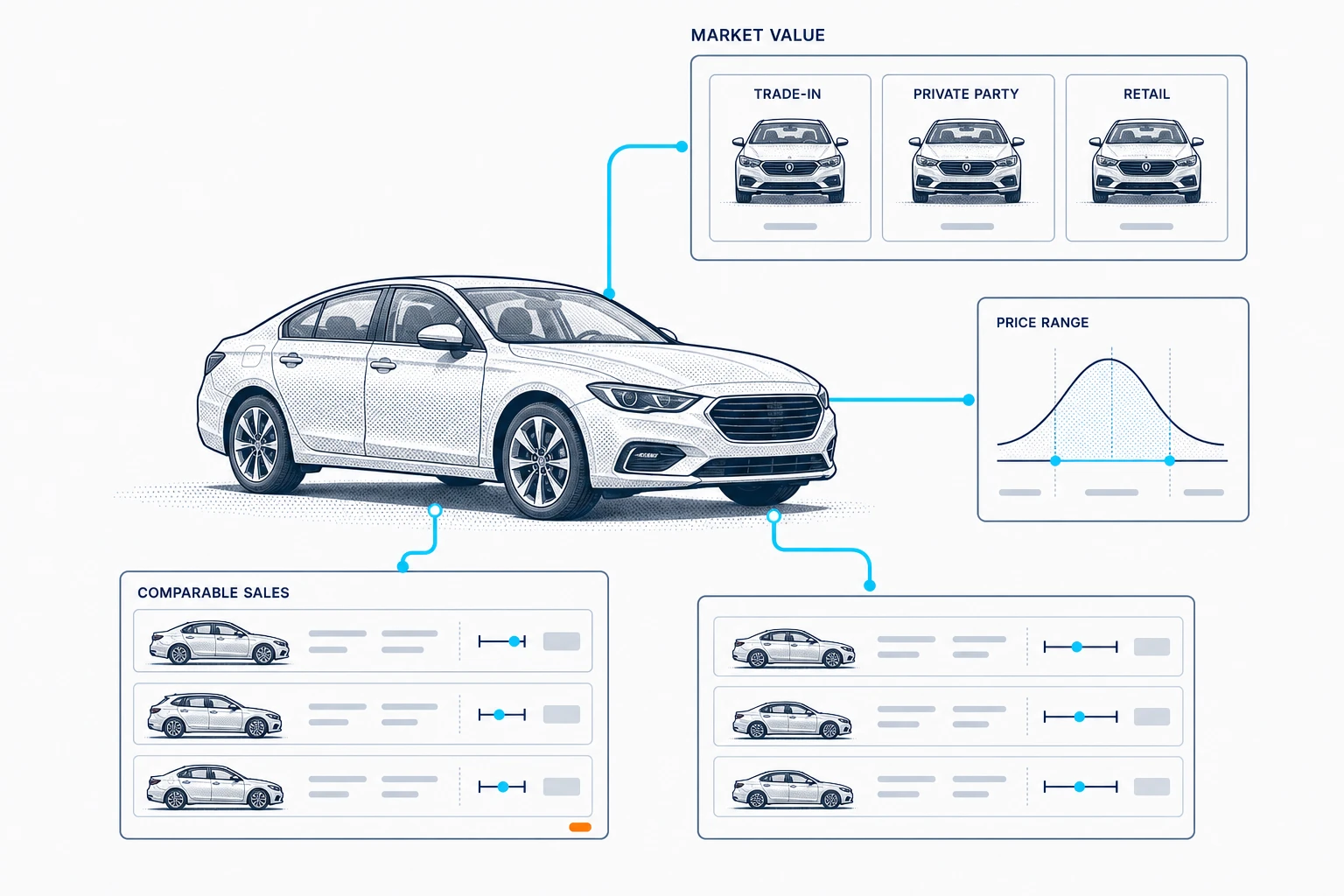
SKILL.md
markdown
---
name: carsxe-feature-artwork
description: Generate consistent CarsXE technical vehicle-feature artwork for auth side panels, feature carousels, and marketing layouts. Use when creating a new bitmap illustration that should match the established light navy-and-cyan CarsXE workflow style; do not use for logos, icons, or UI implementation alone.
---

# CarsXE Feature Artwork

Create one production-ready raster illustration per requested CarsXE feature. Use the environment's built-in image-generation workflow and treat [assets/vehicle-image-workflow-reference.png](assets/vehicle-image-workflow-reference.png) as a **style reference**, not an edit target.

## Visual system

Preserve these invariants unless the user explicitly overrides them:

- 1536×1024 landscape canvas.
- Solid `#F9F9F9` background that disappears into CarsXE light surfaces.
- Generic silver or white sedan as the central subject; never invent a vehicle brand or badge.
- Dark navy technical linework, pale blue-gray secondary details, and cyan `#00B6E5` connectors.
- Precise editorial/engineering infographic style with light halftone shading and generous negative space.
- Modular information cards connected to the vehicle or primary identifier.
- Short, exact, uppercase labels supplied by the user or derived directly from the named feature.
- No CarsXE logo, customer logos, brand marks, decorative badges, browser chrome, headline copy, CTA copy, or watermarks inside the artwork.
- Avoid photorealism, glossy 3D rendering, gradients that alter the background, rounded SaaS-card styling, dense prose, tiny illegible text, and clipped connectors.

The surrounding page owns its headline, description, logo, and navigation. The generated bitmap should contain only the feature diagram and its essential technical labels.

## Examples

Artwork already produced with this skill. Match the style, not the exact diagram — each feature gets its own structure.

| Feature | Structure it uses | Image |
| --- | --- | --- |
| Vehicle images | Camera frame, input parameters card, angle set and output library grids | [vehicle-image-workflow.webp](https://ui.carsxe.com/skills/carsxe-feature-artwork/vehicle-image-workflow.webp) |
| VIN specifications | VIN input above the vehicle, four spec cards fanned out below | [vin-specifications-workflow.webp](https://ui.carsxe.com/skills/carsxe-feature-artwork/vin-specifications-workflow.webp) |
| Vehicle history | Dated timeline panel plus five status cards | [vehicle-history-workflow.webp](https://ui.carsxe.com/skills/carsxe-feature-artwork/vehicle-history-workflow.webp) |
| Market value | Value tiers, price range curve, comparable sales rows | [market-value-workflow.webp](https://ui.carsxe.com/skills/carsxe-feature-artwork/market-value-workflow.webp) |

The vehicle-images example is the same artwork as the bundled reference. The published copies are lossy WebP for the docs gallery — generate against [assets/vehicle-image-workflow-reference.png](assets/vehicle-image-workflow-reference.png), and view them all at <https://ui.carsxe.com/docs/skills/carsxe-feature-artwork>.

## Workflow

1. Inspect the bundled reference image before generating. Identify its vehicle rendering, connector weight, card borders, whitespace, and label density.
2. Extract the requested feature into one central subject and three to six meaningful data groups. Prefer familiar product vocabulary over invented marketing language.
3. Generate each distinct feature as a separate image. Use the bundled reference only for visual consistency; change the diagram structure to fit the feature.
4. Inspect every result at full size. Verify dimensions, background color, subject clarity, exact labels, connector continuity, safe margins, and absence of logos/watermarks.
5. If an output misses a requirement, make one targeted correction and re-check it. Do not broadly restyle an otherwise correct image.
6. Save every accepted project-bound asset into the user's requested directory. In the CarsXE monorepo, default to `apps/web/public/images/auth/<feature-slug>-workflow.png`. Never overwrite an existing asset unless explicitly requested.
7. Report the saved path, final prompt, and generation mode. Do not implement a carousel or page changes unless the user also requests integration.

## Animated variant

When the user wants the artwork animated, this skill supplies the concept and `carsxe-animejs-artwork` rebuilds it as an inline Anime.js SVG. Generate (or reuse) the accepted bitmap here first, then follow that skill's handoff. For animation-bound concepts, keep the vehicle, connectors, and each card clearly separated so they can be redrawn as SVG groups.

## Prompt template

Use this compact structure and replace bracketed content:

```text
Use case: infographic-diagram
Asset type: CarsXE auth or marketing side-panel artwork
Primary request: Visualize [FEATURE] as a connected vehicle-data workflow.
Input image: bundled CarsXE workflow artwork, style reference only.
Scene/backdrop: seamless solid #F9F9F9 canvas.
Subject: generic silver sedan connected to [DATA GROUPS].
Style/medium: precise editorial automotive engineering illustration; dark navy technical linework; pale blue-gray details; subtle halftone shading; cyan #00B6E5 connectors; thin rectangular information cards; generous whitespace.
Composition/framing: balanced 3:2 landscape diagram with safe margins; central vehicle remains dominant; cards remain readable at page-side-panel size.
Text (verbatim): "[SHORT LABELS ONLY]"
Constraints: 1536x1024; exact labels; no page headline or description inside the image.
Avoid: all logos and badges, watermarks, branded vehicles, browser chrome, photorealism, glossy 3D, dense copy, clipped elements, and background colors other than #F9F9F9.
```

When the user supplies exact labels, reproduce them verbatim. If labels are not supplied, choose concise terms from the feature itself and keep values generic rather than fabricating product claims.